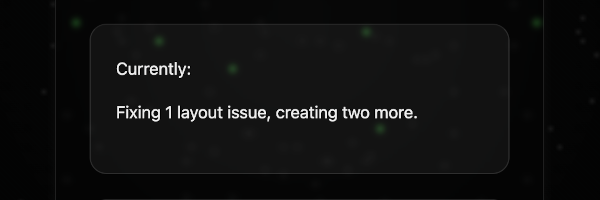
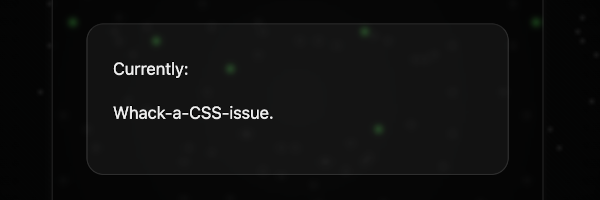
I thought it would be fun to add a status widget to my landing page.
I created a widget that displays a single line that changes on every page load, pulled randomly from a list.
Simple. Favorite.
What It Does
- Displays a “Currently:” label with a line of text beneath it
- Picks a random line from a list on every page load
- No API, no dependencies, no refresh logic — just vanilla JavaScript
The HTML
A single card with a static label and a paragraph that JavaScript swaps out:
<div class="section-card">
  <span class="title">Currently:</span>
  <p id="currently-text">Loading...</p>
</div>
The JavaScript
The whole thing is about ten lines:
const currentlyLines = [
  "Claude.",
  "Prompting.",
  "Adding one more widget.",
  "Whack-a-CSS-issue.",
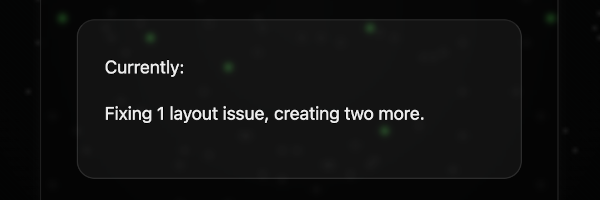
  "Fixing 1 layout issue, creating two more.",
  "Exploring Github Pages.",
  "Trying to convince myself I enjoy debugging CSS."
];

const currentlyText = document.getElementById("currently-text");
if (currentlyText) {
  const line = currentlyLines[Math.floor(Math.random() * currentlyLines.length)];
  currentlyText.textContent = line;
}
Why I Like This
There’s no server, no API call, no build step. It’s just a list of strings and ten lines of JavaScript. Anyone who visits the page gets a slightly different experience, and updating it is as simple as editing an array.
What’s Next
The list is easy to update so I’ll keep adding to it as things change. Eventually I might add a fade transition between loads, but for now the snap-in is fine.
Tools & Skills
- Vanilla JavaScript
- HTML
- Jekyll
- GitHub Pages
- AI-assisted development